The signal in the noise.
Your fleet generates millions of events. The threat is in there — one app, one device, one periodic beacon at 9.6 minutes. Ask anything. Know every app. Enforce surgically. We find it before it finds you.
<50ms
Policy propagation, fleet-wide
183
Apps catalogued, status known
62→0
Days of exfiltration, stopped cold
14 days
Silent discovery — no disruption
Three capabilities. One unified system.
Every breach has three failure points: you didn’t know what was running, you didn’t ask the right question, or enforcement was too blunt. We close all three.
Ask Anything
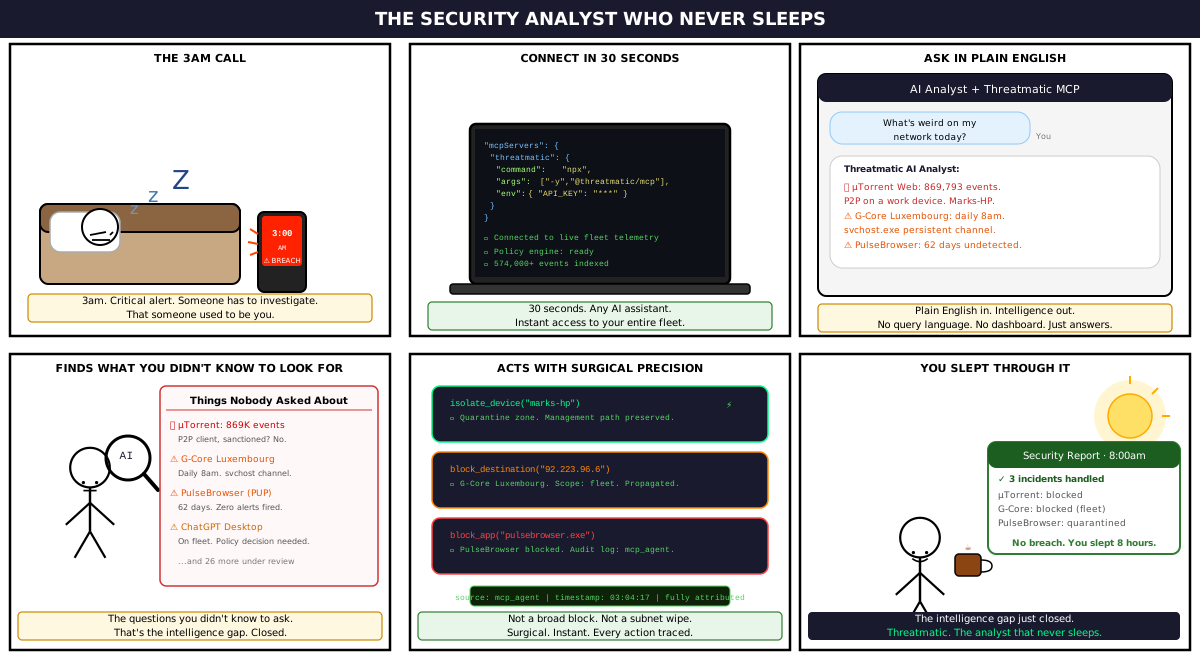
Ask Help Center — Threatmatic's own AI assistant, built into the console with live access to your fleet's telemetry. Query 90 days of flow history in plain English, right where you already work. Prefer your own AI tooling? Connect any MCP-compatible assistant instead — same data, same audit trail.
Natural language → SQL → insight. Seconds.
Know Every App
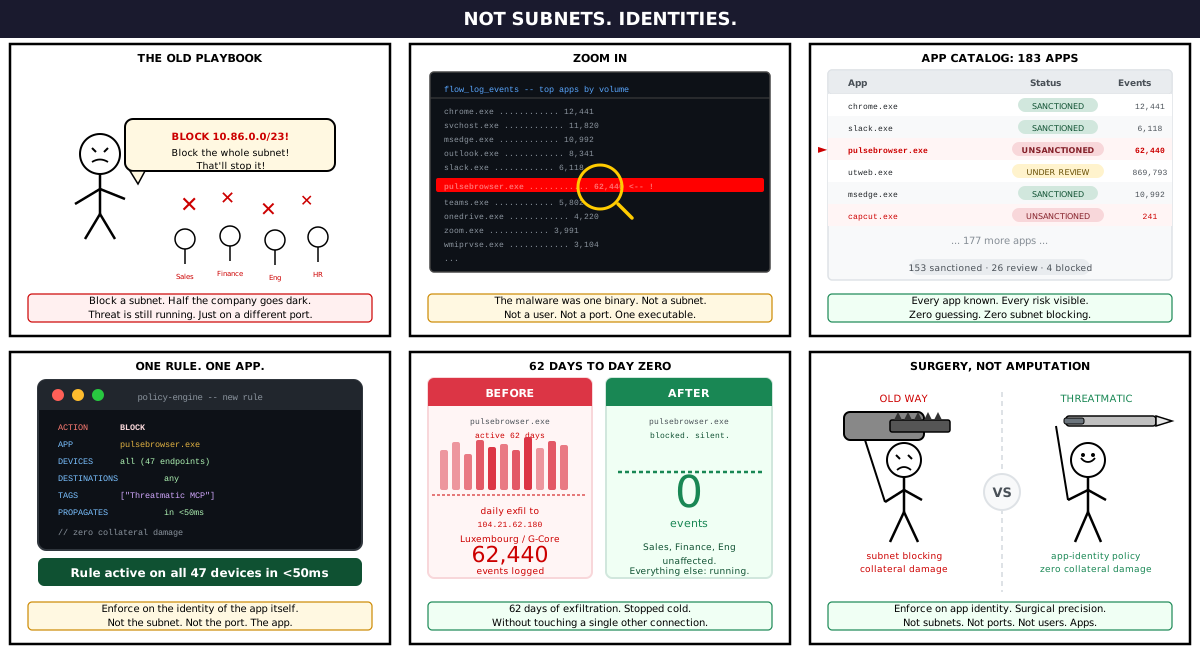
Every executable observed across your fleet is catalogued, classified, and given a status: sanctioned, unsanctioned, or under review. 183 apps. Zero guessing. When PulseBrowser showed up — you knew immediately.
153 sanctioned · 26 under review · 4 blocked
Enforce Surgically
Don't block subnets. Don't block users. Block the app — by identity, fleet-wide, in under 50ms. Sales, Finance, Engineering stay online. The threat goes dark. Zero collateral damage.
One rule. One app. 47 endpoints. <50ms.
The assistant that already knows your fleet.
Help Center is Threatmatic’s own AI assistant, built into the console with live access to your organization’s real telemetry — not a chatbot answering from documentation. Ask it what would otherwise take three screens and a support ticket to find out, and get an answer with a real query behind it, not a guess.
And which model reasons over your data is your call, not ours — including a fully private, walled-off deployment when your data can’t leave a boundary you control.
Try Help Centeryou — which devices are running PulseBrowser, and is it still talking to anything?
help center — 4 devices: Sales (2), Finance (1), Engineering (1). PulseBrowser on FIN-0231 beaconed 3.2MB to 185.220.101.x every 9.6 minutes for 14 days. Blocked as of your last policy push — nothing since.
Every cycle makes the next one faster.
Observe. Classify. Investigate. Enforce. Each turn of the loop narrows the threat surface. The system gets smarter with every session — not just you.
01
Observe
Agent silently records every connection. No disruption.
02
Classify
App catalog builds itself. Every binary gets a status.
03
Investigate
Ask questions in plain English. Surface what matters.
04
Enforce
One policy. App-identity targeting. Sub-50ms propagation.
Then repeat — with a smaller threat surface every time.
Everything you need. Nothing you don’t.
Fleet Egress Map
See exactly where your fleet talks to — by volume. Akamai, Cox DNS, Google, Microsoft, FortiGuard. And the one IP in Luxembourg you didn't sanction.
Identity-Aware Policy
Policies target app binaries, not subnets. A PulseBrowser block doesn't touch Chrome. A block on one device doesn't affect the fleet. Precision by design.
Help Center, or Your Own
Ask Help Center directly in the console, or expose the same fleet telemetry to any external AI assistant via the Threatmatic MCP server. Either way, it reasons over real data — your data — and acts with a full audit trail.
Last Known Good
No inline proxy. If the cloud goes down, traffic flows on the last enforced policy. Business continuity is not optional — so we built it in from day one.
Full Audit Trail
Every policy touched by the MCP server is tagged. Every action attributed. Every change logged. You always know what changed, when, and why.
14-Day Silent Discovery
Deploy in non-blocking mode. The agent maps your actual access topology. After 14 days, the platform generates a suggested Zero Trust whitelist — based on real behavior.
Your fleet is talking. Are you listening?
14 days. No disruption. No policy changes. Just the complete picture of what’s running, where it’s going, and what needs to stop.